Train users only on work they are expected to perform.
Assign content by warehouse role, quality responsibility, transportation function, tenant administration, approval authority, application, and location.
AJAX Training is designed to connect role-based learning, process guidance, readiness checks, acknowledgments, refreshers, and go-live visibility directly to the warehouse, quality, transportation, EDI, messaging, profitability, and grower workflows users perform.
AJAX Training is intended to reduce repeated supervisor explanations, process drift, incomplete onboarding, and go-live uncertainty by connecting learning to the user’s role, location, device, module, and permitted workflow.
Assign content by warehouse role, quality responsibility, transportation function, tenant administration, approval authority, application, and location.
Show approved steps, scan expectations, required fields, exception rules, supporting images, and escalation paths where users need them.
Track assigned, started, completed, overdue, expired, failed, acknowledged, and approved readiness status.
Use questions, acknowledgments, scenario checks, supervisor verification, or other configured completion requirements.
Publish updated instructions after policy, customer, item, location, device, label, quality, or integration changes.
Reassign required content for seasonal peaks, new locations, changed responsibilities, or reactivated scanner users.
Record assignment, version, start, completion, result, approver, user, date, expiry, and refresher history.
Use repeated exceptions, corrections, support issues, quality failures, and missed steps to identify training opportunities.
User, role, location, application, content version, due date, assessment, completion, authorization, expiry, and refresher status can remain connected throughout the lifecycle.
Select the user, team, role, location, application, workflow, content version, due date, and requirement.
Review instructions, examples, media, process rules, safety notes, required scans, and exception handling.
Complete questions, acknowledgment, practical review, supervisor verification, or another configured check.
Grant or confirm workflow access when required training, permissions, and approval conditions have been met.
Track readiness, expiry, overdue content, changed workflows, repeated errors, and required retraining.
Training should not become a generic document library. AJAX Training is intended to show the content relevant to the work a user is permitted and expected to perform.
Receiving, labeling, movement, picking, staging, shipping, counting, putback, inspection, proof, exception, and device workflows.
Exceptions, overrides, recounts, relabeling, holds, release, disposition, posting readiness, escalation, and shift handoff.
Users, roles, locations, devices, Business Central connections, application settings, go-live, diagnostics, and readiness.
| Context | Training Assignment |
|---|---|
| Role | Warehouse user, supervisor, quality, transport, approver, tenant administrator, or other configured responsibility. |
| Location | Facility, warehouse, cooler, yard, dock, production area, route, office, or customer-specific site. |
| Application | WMS, QMS, Logistics, EDI, Messaging, Profitability, Grower Management, or enabled extensions. |
| Device | Phone, tablet, laptop, desktop, scanner-style browser, workstation, printer station, or kiosk. |
| Permission | View, execute, correct, approve, release, post, configure, administer, or support based on tenant authorization. |
 Workflow-Based Coaching
Users review approved steps, required scans, process purpose, common errors, supporting examples, and escalation paths in the same browser environment.
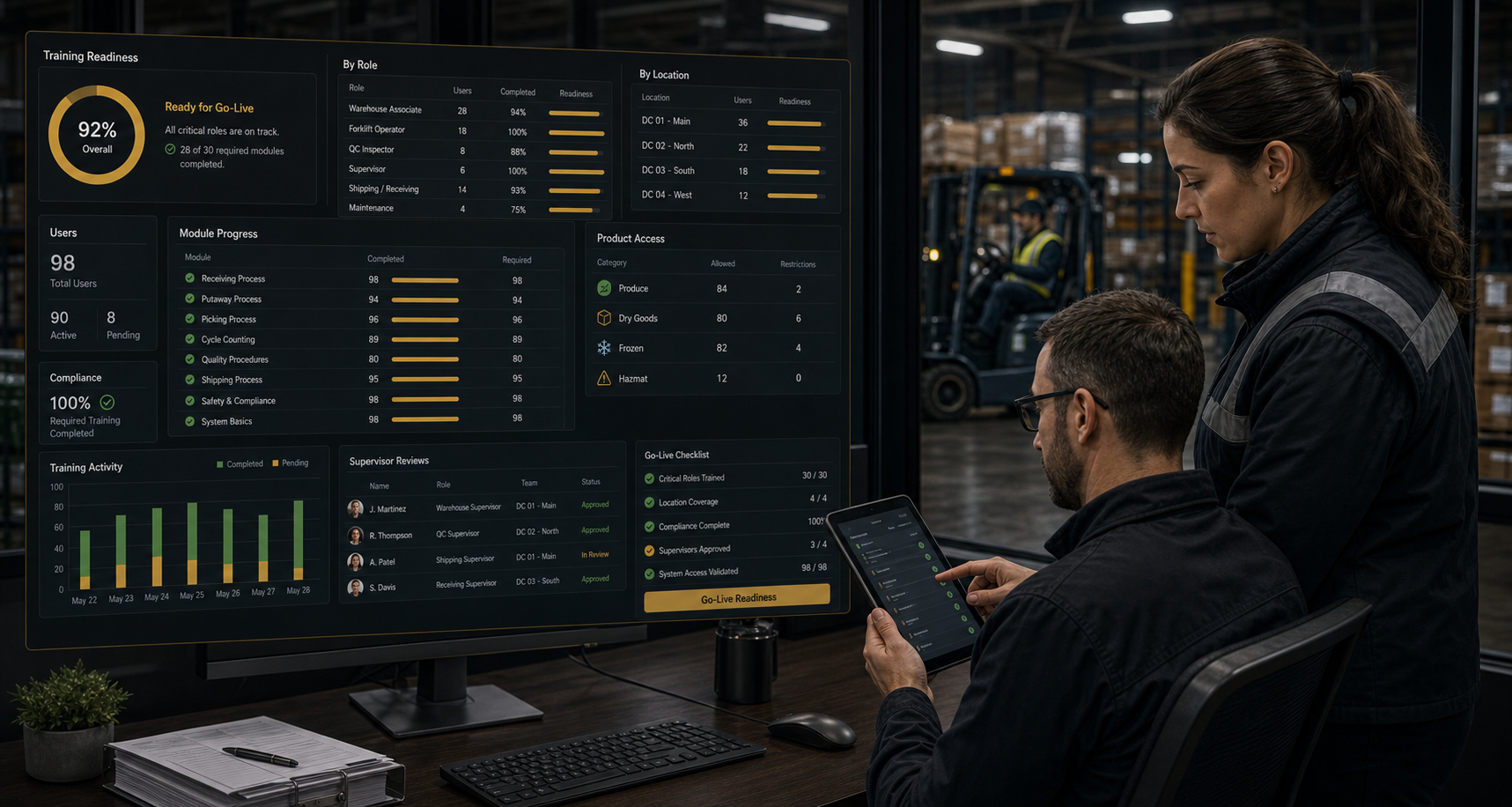 Go-Live Readiness Visibility
Review required users, assigned content, completion, missing permissions, overdue learning, location gaps, approval, and operational readiness before activation.
AJAX OES tenant onboarding can use readiness information alongside company setup, Business Central connection, applications, locations, users, devices, printing, and workflow configuration.
Confirm tenant users, roles, applications, facilities, devices, training assignments, completion, and supervisor approval.
Assign role-specific content before granting or expanding access to controlled workflows.
Require updated learning when process, customer, product, quality, or system rules change.
Review returning staff, expired content, new responsibilities, changed locations, and temporary device assignments.
Use repeated correction, support, quality, shipping, or compliance issues to target new training.
Connect content to receiving, SSCCs, movement, picking, shipping, cycle counting, holds, inspections, grading, claims, and disposition.
View WMSConnect content to appointments, carrier check-in, loading, temperature, delivery, partner documents, validation, and exception review.
View LogisticsConnect content to object threads, assignments, approvals, shift handoffs, tenant setup, permissions, diagnostics, and go-live.
View MessagingConnect content to grower onboarding, advances, contracts, quality, packout, pool accounting, deductions, statements, and payment preparation.
View Grower ManagementConnect content to freight, labour, storage, packaging, quality, shrink, claims, financing, grower costs, dimensions, and operational profitability.
View ProfitabilityHelp users understand which tasks happen in AJAX OES, which require Business Central review or posting, and when escalation is required.
Give users a repeatable learning path, keep guidance close to execution, and make readiness visible before live operation.
Role-based content reduces dependence on one supervisor repeatedly explaining the same approved process.
Users can review the correct scan, field, decision, exception, and escalation behaviour while performing the work.
Management can review assigned users, required content, completion, overdue items, gaps, and approval by role, location, and application.
Estimate AJAX OES pricing, create a tenant, and begin guided setup without waiting for a consultation.
AJAX Training capabilities shown on this page describe the intended training and readiness application and may include planned features.
Final availability and scope depend on enabled applications, tenant permissions, content creation, customer policies, required assessments, device access, retention requirements, integrations, and implementation. AJAX Training does not replace legally required, certified, safety, regulatory, or professional training unless the customer has independently confirmed that the configured content and process satisfy those requirements.